Showing posts with label Appz. Show all posts

Wednesday, October 31, 2007

Photobie 4.4

http://www.ixbt.com/short/2k7_soft/photobie.jpg

Photobie is an Image Editing software with most features similar to Photoshop plus advanced screen capture and photo frame editing features. With photobie screen capture you can prepare presentation very simply. Photobie has simple user interface.

Furthermore, if you have MS Word and other software that create specific graphics or art fonts, then with Photobie you can simply capture it and paste it to any image. Photobie supports multiple-layer image retouching for advanced image editing.

Starting at version 2.8, Photobie now supports thousands of Photoshop filter plugins (.8BF).

Features:

  • General Photo editing tool - resize, rotate, flip, color balance adjust (includes brightness, contrast, saturation, cool-warm color, gammar, alpha); copy, cut, paste, paste as new image, crop (done by combining copy and paste as new image); selection (includes rectangle, square, oval, circle, polygon, free hand selection tool as well as Magic Wand too), you can select complex region by using selection modes such as Single, Union, Exclude, Intersect and XOR, you can also invert the selection. Much more.
  • Flash Player - Fancy player allow user to play list of flash files (.swf) repeatly and selectively.
  • Gif animation - create gif animation with/without transparent in a simple way.
  • Image format supported:
    • Bmp, Png, TIF,
    • Gif --- support transparent hight quality encoding Gif.
    • Ico --- can save image as true color Icon with 64x64, 48x48, 32x32, 16x16 sizes.
    • Jpg --- support various encoding quality (1--100)
    • Pob --- Photobie specific multi-layer image format. format used to keep the work in progress for future retouching.
  • Multi-layer features - support unlimited layers; layer merge, flatten; whole layer copy, paste, clone within current image or cross images; much more.
  • Painting features - draw shapes as rectangle, square, oval, circle, line, dash line, polygon, free hand, curve, it support gradient color; fill shapes as recangle, square, oval, circle, polygon, free hand, it support gradient color, much more.
  • Text editing - Support most system fonts; High quality text; Gradient color support; 3D text effect;
  • Screen Capture - Support Screen Capture hotkeys, you can setup up to 8 hotkeys for screen capture, you can set the hotkey to capture full screen or active window, more.
  • Framing - Photobie simplifies the digital photo framing process. You can design your favorite frame template and then apply to other photos quickly.
  • ... and much more.
Download:

http://www.photobie.com/Download/PhotobieInstaller.exe

Infra Recorder

InfraRecorder is a free CD/DVD burning solution for Microsoft Windows. It offers a wide range of powerful features; all through an easy to use application interface and Windows Explorer integration.

InfraRecorder is released under GPL version 2.

http://infrarecorder.sourceforge.net/images/screenshot_main.png
  • Create custom data, audio and mixed-mode projects and record them to physical discs as well as disc images.
  • Supports recording to dual-layer DVDs.
  • Blank (erase) rewritable discs using four different methods.
  • Record disc images (ISO and BIN/CUE).
  • Fixate discs (write lead-out information to prevent further data from being added to the disc).
  • Scan the SCSI/IDE bus for devices and collect information about their capabilities.
  • Create disc copies, on the fly and using a temporary disc image.
  • Import session data from multi-session discs and add more sessions to them.
  • Display disc information.
  • Save audio and data tracks to files (.wav, .wma, .ogg, .mp3 and .iso).
Alternative to Nero !

Download:

http://mesh.dl.sourceforge.net/sourceforge/infrarecorder/ir0431_unicode.exe


Tuesday, October 23, 2007

anyTV 2.0

The image “http://www.anytvplayer.com/images/logo1.png” cannot be displayed, because it contains errors.

Watch local TV, world Tv, Live TV, satellite TV from countries of all world in different languages on your PC with anyTV not just at home, but at the OFFICE , work or wireless. Watch 2630 Online TV channels, 6910 Video clips. Listen to 4750 Online Radio stations. Using anyTV means you can watch numerous of international TVs without a television, TV Tuner Card or a satellite receiver. Watch anywhere you have your internet Online. No additional equipments required.


Watch news, entertainment, documentaries, music, sports, shopping, languages, cartoons, learning, culture, religious channels, live cameras etc .. from all over the world. Get immediate access to thousands of free streaming Internet TV channels, Online Radios. The channels are constantly updated to bring you up-to-date channel list.

Download:

http://www.anytvplayer.com/files/anytv_setup.exe

Daz Studio 1.7

The image “http://www.daz3d.com/sections/software/studio/images/download/studio_box.jpg” cannot be displayed, because it contains errors.

DAZ Studio is a feature rich 3D figure posing and animation tool that enables users of any skill level to easily create stunning digital imagery. Whether youre a 3D newbie or an avid 3D artist, you'll find DAZ Studio is the perfect tool for designing unique digital art and animation with virtual people, animals, props, vehicles, backgrounds and more. Experience total creative freedom with DAZ Studio and express yourself in 3D like never before.


The image “http://www.daz3d.com/sections/software/studio/images/download/v4.jpg” cannot be displayed, because it contains errors.

The image “http://iat.ubalt.edu/courses/old/cosc410.101_Fa06/images/studioScreenshot.jpg” cannot be displayed, because it contains errors.

Version 1.7.1.9 adds compatibility for the 3D Bridge for Photoshop plugin.

Download:

http://www.daz3d.com/i.x/software/studio/-/download?


Sunday, October 21, 2007

Magical Jelly Bean Keyfinder 2.0 Beta 3

http://magicaljellybean.com/images/mjb_multicolor_logo_white_b.jpg

The Magical Jelly Bean Keyfinder is a freeware utility that retrieves your Product Key used to install windows from your registry. It works on Windows 95, 98, ME, 2000 and XP. It now has the options to copy the key to clipboard, save it to a text file, or print it for safekeeping.

Download:

http://www.magicaljellybean.com/files/keyfinder.2.0.beta.3.zip

Download Accelerator Plus 8.5

Main download screen

This download manager brings much more to the table than fast file transfers, but it definitely delivers those, too. Upon installation, Download Accelerator Plus asks for your e-mail address in hopes of sending you special offers, but you don't actually need to submit any information. Although the program is free, the trade-off is the "information panel" that displays software advertisements. Luckily, it's easy to get used to. Nevertheless, the tabbed main window is straightforward. DAP also installs a handy toolbar in Internet Explorer and integrates with Firefox and other alternate browsers. Increased download speeds are the program's bread and butter, speeding up downloads by almost 200 percent in most cases. Besides splitting files into smaller pieces, it automatically seeks faster mirrors. It also can get a file simultaneously from several sites, which is useful if a particular site limits the download speed.

Other useful tools include the ability to resume interrupted downloads, log on to protected sites, and schedule downloads at low traffic times for faster downloading. We appreciate the extra tools for organizing media and finding games, as well as the basic FTP client. We also found an interesting feature in the pay version that allows you to resume all downloads, whether a server supports it or not. All things considered, this feature-rich program will prove valuable for most avid downloaders.


Download:

http://redir.speedbit.com/redir.asp?ID=7019&filename=DAP85.exe

Disktective 5.0.1


Disktective 5.0.1


Running out of disk space? Don't know what's eaten it? Then run Disktective, our award-winning disk-reporting tool, to trace used-up space on your system.
With Disktective you can find out the real size of your directories and distribution of used space inside them. Each directory may contain hundreds of subdirectories each containing many files. Simply run Disktective and let Disktective create a complete report displaying the real sizes of all directories and their containing subdirectories.

Installation and use
Disktective does not need to be installed. Just copy the program files onto your harddisk, double click on the .exe file and Disktective will start.

License and platforms
Freeware for Windows XP, 2000, NT, 95, 98, ME. This program is freeware for corporate and personal use, so you can run this program in any commercial or non-commercial setting.

Download:

http://www.freebytesoftware.com/download/disktec.zip

PhotoPlus 6

The image “http://ec1.images-amazon.com/images/I/51Y81QADTJL._AA280_.jpg” cannot be displayed, because it contains errors.

PhotoPlus is the amazing photo editing software that enables you to fix and enhance digital photos, create stunning bitmap graphics and even web animations.

The image “http://www.freeserifsoftware.com/images/PhotoPlus-6/php6examples.jpg” cannot be displayed, because it contains errors.

With PhotoPlus, you can easily adjust brightness and contrast, colour balance, remove red-eye and make numerous other image editing adjustments and enhancements, achieving fantastic results time after time. And best of all, you can download our standard digital photo editor, PhotoPlus 6, completely free!


Download:

http://ftp10.serif.com/FSSDownloadMirror/PhotoPlus/6/Setup/FSS_PH60.exe

Thursday, October 18, 2007

Daemon Tools 4.10.0.1

http://www.catode.ru/uploads/1146907380.jpeg

Daemon Tools is a virtual cd/dvd-rom emulator

DAEMON Tools is an advanced application for multiprotection emulation. It is further development of Generic Safedisc emulator and incorporates all its features. This program allows running Backup Copies of SafeDisc (C-Dilla), Securom, Laserlock, CDCOPS, StarForce and Protect CD (and many others) protected games. Also included is a Virtual DVDROM drive (Generic DVD-ROM) enabling you to use your CD images as if they were already burned to CD! DAEMON Tools works under Windows9x/ME/NT/2000/XP with all types of CD/DVDROM drives (IDE/SCSI) and supports nearly any CD protection.

DAEMON Tools supports the following image files:

* cue/bin
* iso
* ccd (CloneCD)
* bwt (Blindwrite)
* mds (Media Descriptor File)
* cdi (Discjuggler)
* nrg (Nero)
* pdi (Instant CD/DVD)
* b5t (BlindWrite 5)

Download:

http://www.daemon-tools.cc/dtcc/download.php?mode=Download&id=81

IrfanView

The image “http://www.irfanview.com/images/startbild_engl-small.gif” cannot be displayed, because it contains errors.

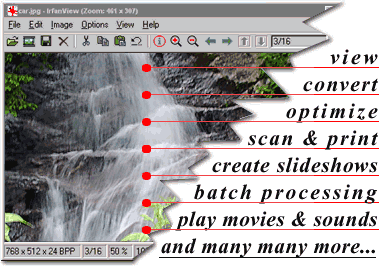
IrfanView is a very fast, small, compact and innovative FREEWARE (for non-commercial use) graphic viewer for Windows 9x/ME/NT/2000/XP/2003/Vista.

It is trying to be simple for beginners and powerful for professionals.

IrfanView is trying to create new and/or interesting features in its own way, unlike some other graphic viewers, whose whole "creativity" is based on feature cloning, stealing of ideas and whole dialogs from ACDSee and/or IrfanView! (for example: XnView has been stealing/cloning features and whole dialogs from IrfanView, for 7+ years).

IrfanView was the first Windows graphic viewer WORLDWIDE with Multiple (animated) GIF support.
One of the first graphic viewers WORLDWIDE with Multipage TIF support.
The first graphic viewer WORLDWIDE with Multiple ICO support.

Download:

http://irfanview.tuwien.ac.at/iview410_setup.exe

Sunday, October 14, 2007

Portable Appz

A portable app is a computer program that you can carry around with you on a portable device and use on any Windows computer. When your USB flash drive, portable hard drive, iPod or other portable device is plugged in, you have access to your software and personal data just as you would on your own PC. And when you unplug the device, none of your personal data is left behind.


OpenOffice.org Portable

The image “http://portableapps.com/files/images/logos/openoffice.png” cannot be displayed, because it contains errors.

OpenOffice.org Portable (formerly Portable OpenOffice.org) is the complete OpenOffice.org office suite -- including a word processor, spreadsheet, presentation tool, drawing package and database -- packaged as a portable app, so you can take all your documents and everything you need to work with them wherever you go.

Download:

http://switch.dl.sourceforge.net/sourceforge/portableoo/OpenOffice_Portable_2.2.1_en-us.paf.exe


VLC Media Player Portable

The image “http://portableapps.com/files/images/logos/vlc.png” cannot be displayed, because it contains errors.

VLC Media Player Portable is the popular VLC media player packaged as a portable app, so you can take your audio and video files along with everything you need to play them on the go. You can place it on your USB flash drive, iPod, portable hard drive or a CD and use it on any computer, without leaving any personal information behind.


Download:

http://ovh.dl.sourceforge.net/sourceforge/portableapps/VLC_Portable_0.8.6c.paf.exe


ClamWin Portable Antivirus

The image “http://portableapps.com/files/images/logos/clamwin.png” cannot be displayed, because it contains errors.

ClamWin Portable is the popular ClamWin antivirus packaged as a portable app, so you can take your antivirus with you to scan files on the go. You can place it on your USB flash drive, iPod, portable hard drive or a CD and use it on any computer, without leaving any personal information behind.

Download:

http://ovh.dl.sourceforge.net/sourceforge/portableapps/ClamWin_Portable_0.91.2.paf.exe

7-Zip Portable

The image “http://portableapps.com/files/images/logos/7-zip.png” cannot be displayed, because it contains errors.

7-Zip Portable is the popular 7-Zip packaged as a portable app, so you can take your file archiver with you and work with your compressed 7z, ZIP, GZIP, BZIP2, TAR, RAR files and more on the go. You can place it on your USB flash drive, iPod, portable hard drive or a CD and use it on any computer, without leaving any personal information behind.

Download:

http://mesh.dl.sourceforge.net/sourceforge/portableapps/7-Zip_Portable_4.42_R2.paf.exe


Keepass Password Safe Portable

The image “http://portableapps.com/files/images/logos/keepass_small.png” cannot be displayed, because it contains errors.

KeePass Portable is the popular KeePass Password Safe packaged as a portable app, so you can securely carry your email, internet and other passwords with you. You can place it on your USB flash drive, iPod, portable hard drive or a CD and use it on any computer, without leaving any personal information behind.

Download:

http://switch.dl.sourceforge.net/sourceforge/portableapps/KeePass_Portable_1.07.paf.exe


Sudoku Portable

The image “http://portableapps.com/files/images/screenshots/sudoku_portable_small.png” cannot be displayed, because it contains errors.

Sudoku Portable is the entertaining and addictive Sudoku puzzle game packaged as a portable app, so you can play on the go. You can place it on your USB flash drive, iPod, portable hard drive or a CD and use it on any computer, without leaving any personal information behind.

Download:

http://kent.dl.sourceforge.net/sourceforge/portableapps/Sudoku_Portable_1.1.7.1.paf.exe


Free Programming Tools


Borland Turbo C++ 3.0

Image:Turbo C++ 3.0.png

Turbo C++ is a Borland C++ compiler and Integrated Development Environment (IDE), famous for its high compilation & linkage speed - hence the term "Turbo". It was a part of Borland's highly popular family of compilers including Turbo Pascal, Turbo Basic, Turbo Prolog and Turbo C. Turbo C++ was a successor of Turbo C, expanding the compiler similarly to how Turbo Pascal 5.5 added object functionality to the earlier Turbo Pascal versions. Unlike Turbo Pascal, however, Turbo C++ always adhered to C++ language standards of its time. The MS-DOS product was never capable of compiling ISO-standard C++, however, because development on it was discontinued before the standard was completed.

Download:

http://rapidshare.com/files/62418325/TC_SETUP.rar.html

Microsoft Visual C++ 2005 Express Edition 2.0


Designed for the unique needs of the new application Developer, Visual C++ 2005 Express Edition provides a fun, easy to use, easy to learn tool for building dynamic applications.

Features:

  • Visual designers enable drag-and-drop creation of user interface code when building .NET Framework applications.
  • Code colorization, syntax checking, IntelliSense and more help you code quickly and correctly.
  • Quickly find and eliminate programming errors using an intuitive graphical debugger.
  • Create .NET Framework applications with advanced features such as data access, networking, and built-in printing support.
  • Build 32-bit native code applications designed for Windows using the Windows Platform SDK.
Download:

http://rapidshare.com/files/62417434/vcsetup.rar.html


Microsoft Visual Basic 2005 Express Edition


Download:

http://rapidshare.com/files/62419585/vbsetup.rar.html


TweakNow RegCleaner v3.0.1


The Registry is the heart and soul of any Windows system. It contains information that controls how your system appears and how it behaves. Most applications today use the registry to store configurations and other important data. When you install an application, new registry entries will be created. These entries automatically will be deleted when you uninstall the application. Unfortunately, this process does not always work. Sometimes, some applications fail to remove their own registry entries. These entries become obsolete.

After a long period, after you install and uninstall a number of applications, your Windows Registry will contain a large number of obsolete entries. This will significantly increase the registry size and thus slow down your computer, because Windows will need more time to load, search, and read data from the registry. To keep your computer at top performance, it is recommended you periodically clean your Windows Registry. Version 2.0.6 may include unspecified updates, enhancements, or bug fixes.


Download:

http://www.tweaknow.com/download/RegCleaner.exe

YouTube Downloader 2.3


http://downloadcenter24.com/images/screens/video-and-dvd/youtube-downloader_2.png

YouTube Downloader
is a free tool that downloads videos from youtube. YouTube Downloader allows you to easily grab and save desired youtube video to your local computer. Simply paste the URL of a video into the program, press Start , and the AVI file will be downloaded into the selected folder. You dont need any players to play flash video just play it on the defult media player clasic. YouTube Downloader is a completly FREE Software. It contains absolutely NO ADWARE, NO SPYWARE, NO REGISTRATION, NO POPUPS, NO MALWARE or other unwanted software. Features: - Easy to use - Save youtube video as AVI file

Download:

http://www.youtube-d.com/files/youtubed_setup.exe

Saturday, October 13, 2007

PostGreSQL 8.2

http://blogs.zdnet.com/images/Postgresql.gif

PostgreSQL is an object-relational database management system (ORDBMS). It is released under a BSD-style license and is thus free software. As with many other open-source programs, PostgreSQL is not controlled by any single company, but relies on a global community of developers and companies to develop it.

PostgreSQL's unusual-looking name makes some readers pause when trying to pronounce it, especially those who pronounce SQL as "sequel". PostgreSQL's developers pronounce it /poːst ɡɹɛs kjuː ɛl/; (Audio sample, 5.6k MP3). It is also common to hear it abbreviated as simply "postgres", which was its original name. Indeed, since support for the SQL standard is now ubiquitous amongst all relational databases, the community is considering changing the name back to Postgres. The name refers to the project's origins as a "post-Ingres" database, the original authors having also developed the Ingres database.


This release adds many functionality and performance improvements that were requested by users, including:

  • Query language enhancements including INSERT/UPDATE/DELETE RETURNING, multirow VALUESUPDATE/DELETE
  • Index creation without blocking concurrent INSERT/UPDATE/DELETE operations
  • Many query optimization improvements, including support for reordering outer joins
  • Improved sorting performance with lower memory usage
  • More efficient locking with better concurrency
  • More efficient vacuuming
  • Easier administration of warm standby servers
  • New FILLFACTOR support for tables and indexes
  • Monitoring, logging, and performance tuning additions
  • More control over creating and dropping objects
  • Table inheritance relationships can be defined for and removed from pre-existing tables
  • COPY TO can copy the output of an arbitrary SELECT statement
  • Array improvements, including nulls in arrays
  • Aggregate-function improvements, including multiple-input aggregates and SQL:2003 statistical functions
  • Many contrib/ improvements, lists, and optional target-table alias in
Download:

http://wwwmaster.postgresql.org/download/mirrors-ftp?file=%2Fbinary%2Fv8.2.5%2Fwin32%2Fpostgresql-8.2.5-1.zip

How do i install PostGre SQL on Windows Vista ?

1. Start/All Programs/Accessories
2. Right-click on Command Prompt
3. Select "Run as Administrator"
4. Click OK on the dialog that appears
5. Type cd\and hit enter [The directory where you put the install files]
6. If you've copied the postgresql-8.2.msi installer file on drive c:\, Type run postgresql-8.2.msi and hit enter.

How do i install + create a local server ?

1. Double-click on postgresql-8.2.msi
2. Click on next 3 times
3. When you come to the service configuration window
- Check the Install as a service box
- Fill the fields, click next
4. Fill the fields in the intialiase database cluster window
- Remember the superuser name * and password ** you have entered, hit next.

Creating a server on Localhost

Once installed, open PGAdmin III, Click on Add a connection to a server button

Fill in the fields as follows:


Host: localhost
Port: 5432
Maintenance DB: template1
Username: Enter the username you've inserted previously *
Password:
Enter the password you've inserted previously **


Hit Ok


Credits: Mau


Avast! 4 AntiVirus Home Edition

http://www.goodgearguide.com.au/im.php/width/360/im/1438_7_4_home_editionnew.jpg

avast! Home Edition is now free of charge for HOME users for NON-COMMERCIAL use. You can find more information here. If you are not a home user, or you use your computer for profit, the avast! Home Edition is not licensed for such use, and you are asked to use the commercial version - avast! Professional Edition.

To use the Home Edition, you should register it, however, after initial installation you have 60 days to trial the product (as with all avast! antivirus products) before you must complete registration. The registration process is very easy, and will take you only a couple of minutes. All the setup packages are in the form of self-extracting executables and are digitally signed by ALWIL Software.

Download:

http://files.avast.com/iavs4pro/setupeng.exe

CDBurner XP

The image “http://cdburnerxp.se/images/cdbxpp_logo.png” cannot be displayed, because it contains errors.


CDBurnerXP is a free application to burn CDs and DVDs, including Blu-Ray and HD-DVDs.
It also includes the feature to burn and create ISOs, as well as a
multilanguage interface. Everyone, even companies, can use it for free. It does not
include adware or similar malicious components.

Key Features:

  • burn all kinds of discs
  • audio-CDs with or without gaps between tracks
  • burn and create ISO files
  • data verification after burning process
  • create bootable discs
  • multi-language interface
  • bin/nrg → ISO converter, simple cover printing and much more!
  • Operating Systems: Windows 2000/XP/2003 Server/Vista


Download:

http://www.cdburnerxp.se/downloadsetup.exe

Mozilla Firefox 2

http://www.beedigital.net/blog/img/firefox2.jpg


The award-winning Web browser is now even faster, more secure, and fully customizable to suit your online life. With Firefox 2, we’ve added powerful new features that make your online experience even better.

http://www.mozilla-europe.org/img/award-images/awards.png

If you think Internet Explorer sucks, then that's the web browser you should be using.

Features:
Ease of use
Enhanced Security
Quickness
Free!


The link below directs you to the latest version of Mozilla Firefox.

Download:

http://www.mozilla-europe.org/en/products/firefox/

Foxit PDF Reader

http://crusader.com.ua/uploads/2007_05_21_21_29_54_foxit.gif

Foxit Reader is a free PDF document viewer and printer, with incredible small size (only 2.1 M download size), breezing-fast launch speed and amazingly rich feature set. Foxit Reader supports Windows 98/Me/2000/XP/2003/Vista. Its core function is compatible with PDF Standard 1.7.

In the past, you have to download a huge PDF reader from another software company, go through a lengthy installation process and wait for an annoying splash window to disappear just to open a PDF document. Moreover, if you want to annotate a PDF document, you have to pay US$299 to buy certain software.

Now with Foxit Reader, you don't have to endure such pain any more. The following is a list of compelling advantages of Foxit Reader:

  • Incredibly small: The download size of Foxit Reader is only 2.1 M which is a fraction of Acrobat Reader 20 M size.
  • Breezing-fast: When you run Foxit Reader, it launches instantly without any delay. You are not forced to view an annoying splash window displaying company logo, author names, etc.
  • Annotation tool: Have you ever wished to annotate (or comment on) a PDF document when you are reading it? Foxit Reader allows you to draw graphics, highlight text, type text and make notes on a PDF document and then print out or save the annotated document.
  • Text converter: You may convert the whole PDF document into a simple text file.
  • High security and privacy: Foxit Reader highly respects the security and privacy of users and will never connect to the Internet without users' permission. While other PDF readers often silently connect to the Internet in the background. Foxit PDF Reader does not contain any spyware.
Download:

http://downloads.foxitsoftware.com/foxitreader/FoxitReader22_setup.exe

OpenOffice.org 2.3

http://images.linspire.com/application/ope/187998/2_0_0_1bpo1_5_0_0_50_linspire0_3/openoffice2.jpg

Alternative to Microsoft Office !

OpenOffice.org is synonymous with quality

  • the roots of OpenOffice.org go back twenty years, creating a mature and powerful product
  • hundreds of thousands of users participated in the beta testing of version 2
  • independent reviewers around the world have recommended the product
  • with a fully open development process, OpenOffice.org has nothing to hide - the product stands or falls on its reputation

OpenOffice.org is easy to use

  • the software looks and feels familiar and is instantly usable by anyone who has used a competitive product
  • it’s easy to change to OpenOffice.org - the software reads all major competitors’ files
  • few language barriers - if it’s not yet available in your language, the chances are it will be soon
  • OpenOffice.org is supported by a global community of friendly volunteers, only too happy to provide assistance to newcomers and advanced users alike

OpenOffice.org is free software

  • you may download OpenOffice.org completely free of any licence fees
  • install it on as many PCs as you like
  • use it for any purpose - private, educational, government and public administration, commercial...
  • pass on copies free of charge to family, friends, students, employees, etc.

OpenOffice.org is standards compliant - certified by OSI as open-standard compliant, and the first software package in the world to use OASIS OpenDocument Format (ISO 26300) as its native file format.


Download:

http://openoffice.bouncer.osuosl.org/?product=OpenOffice.org&os=winwjre&lang=en-US&version=2.3.0